




Noema 4.2 is the largest update to the Noema app since launch. We rebuilt the interface for clarity and speed, made projects work across iPhone, iPad and Mac, and added Deep Research, side questions, model comparison and meeting transcription. Your conversations stay on your own devices.
One kind of project, everywhere
Create a project on any device, give it instructions, and attach folders from your Mac. Projects and their folders sync through iCloud, and each folder shows which Mac it lives on. Folder access itself never leaves that Mac.
- Normal chats go anywhere. A regular chat in a project continues on your iPhone or iPad with any model, even when your Mac is asleep.
- Coding chats stay with their Mac. A chat that works in a folder belongs to the Mac that holds the folder. Its conversation syncs to all your devices, so you can always read it.
Remote coding from iPhone and iPad
Send a message to one of your Mac's coding chats from your iPhone or iPad. The Mac runs the turn with its folder and tools, and the reply, tool activity and approvals stream back to your phone as they happen.
- See what is happening. The chat shows “Remote · MacBook Pro”, and the status line tells you when the Mac is running, waiting for you, or reconnecting.
- Approve from your phone, safely. Allow or deny edits and ordinary commands from your phone. Destructive commands, always-allow rules and network access are still approved on the Mac, and a turn started remotely can never use Full Access.
- Never lose your place. If the connection drops, the Mac keeps working and your phone catches up when it reconnects. If your Mac is asleep, read the chat and choose Continue as New Chat to carry on in a regular chat in the same project.
- Private by design. Remote Control is off until you turn on Allow Remote Control in your Mac's settings, and it travels only over Constellation's end-to-end encrypted connections.
Read the projects and Remote Control guide.
Deep Research
Ask a question and Noema plans the research, searches the web step by step and writes a report with numbered citations. The finished run folds into one row that shows the steps and sources. Turn any report into flashcards or an audio overview, and save podcasts to Stored to listen to later. Read the Deep Research guide.
More ways to work with a conversation
- Side Question: ask something on the side without derailing the chat. It sees the whole conversation and never adds to it.
- Compare Models: run the same prompt on two models side by side.
- Regenerate With: retry any answer with another model, and page between versions.
- Branch a conversation from any message.
- Queue and steer: keep typing while Noema answers; your message waits or redirects the current reply.
- Search every chat, including what was said inside them, and Find in Chat within a conversation.
- Remember This: save a fact from any reply, and Noema uses it in future chats. You decide what it keeps.
- Temporary chats, Recently Deleted, a Prompt Library and Export Chat.
Meeting transcription
Transcribe a conversation and label who said what, then bring the transcript into a chat to summarize it, ask questions or pull out action items. Read the meetings guide.
Tools and connectors
Each tool now has one switch. Turn it on or off from the Tools tab, Settings or inside any chat, and it changes everywhere. Noema Search is built in, so web search works with no setup; bring your own Brave, Tavily or Exa key only if you want to. New tools include Search My Chats, Image Creation with Image Playground, Calendar, PDF Reader, Quick Charts, Calculator and Unit Converter.
On iPhone and iPad, Connectors add a remote MCP server by its URL to give the model extra tools. Noema asks before each tool call. Guides: tools and connectors.
Noema 1.5 4B in Explore
Noema 1.5 4B, released on October 13, appears first in Explore in two styles, as GGUF and MLX builds with a 262K-token context window. Deep is built for hard math and code and reaches its base model's accuracy with far fewer tokens. Fast reasons briefly and, on a hard-prompt stress test, falls into repetition loops about 98% less often than its base model, even as a Q4_K_M build. Read the launch post.

On the Mac
- Quick Chat from anywhere with ⌥Space, and Noema in the menu bar.
- Coding chats get a Mode picker: Chat, Agent, Plan and Review. Approvals wait in one docked place, and every change can be reviewed before it lands.
- A new + New Chat button, an always-visible Projects section, a cleaner sidebar and the ⌘K command palette.
- Return to send (Shift-Return for a new line), with a setting to switch it.
Read the Mac projects and Agent guide.
On iPhone and iPad
- Open any chat in its own window on iPad, and use iPhone in landscape.
- Share to Noema and Open in Noema from other apps. Scan documents, paste photos or files, and drag them into a chat.
- Ask Noema and Recent Chats widgets, plus Control Center controls.
- Answers keep generating briefly when you switch apps.
Faster and more dependable
Chats are now stored individually, so launching and switching chats is quicker and a problem with one chat never affects the others. Model loading shows named steps and can be cancelled, a download queue adds Pause All and Resume All, and memory estimates now account for how iOS treats memory-mapped models, so the models Noema recommends really fit. Read the download recovery guide.
A rebuilt interface
The new interface has higher contrast, less clutter, model names that are never cut off mid-word, and clearer status throughout. VoiceOver labels, Dynamic Type and Reduce Motion support have been improved across the app, in all 11 languages.
For developers
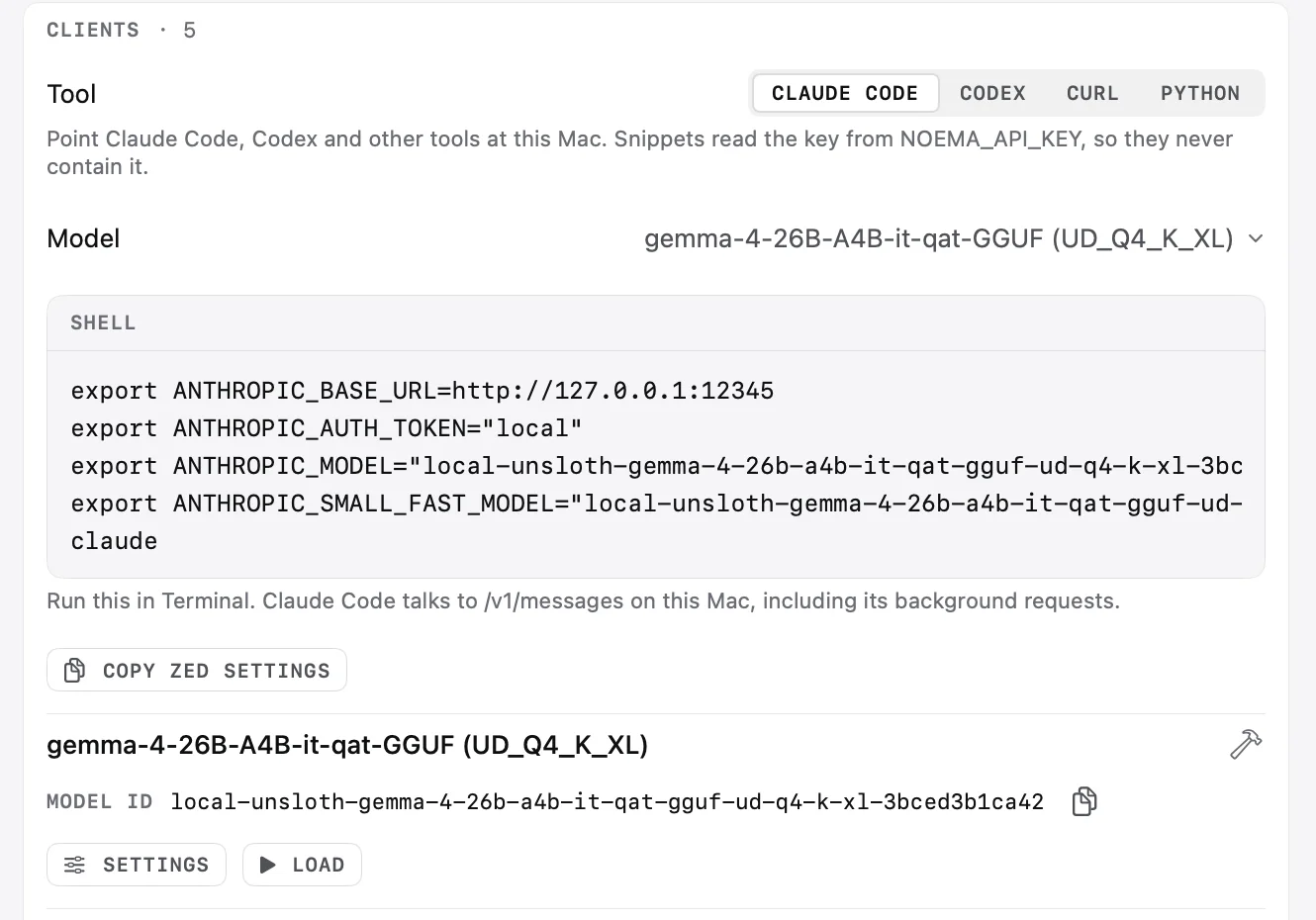
The local API server now speaks /v1/messages and /v1/responses alongside the OpenAI-compatible endpoints, so coding agents can use your local models. It adds a request log, trusted hosts and QR pairing for your devices. Read the local API guide.
Removed
Chat Modes and Answer Styles have been removed. Your existing chats and projects keep working, and responses use the default behavior. Per-chat and per-project tool defaults are replaced by each tool's single switch.
Availability
Noema 4.2 is available now, and Noema is free. The complete list of changes is in the release notes.